LOGGER Field Flasher build (Kit B, soldered)
One kit = one flasher a customer uses to reflash a 4G logger themselves. Build one at a time.
Parts (per kit)
- Raspberry Pi Pico, bare (no header pins). Not a Pico W.
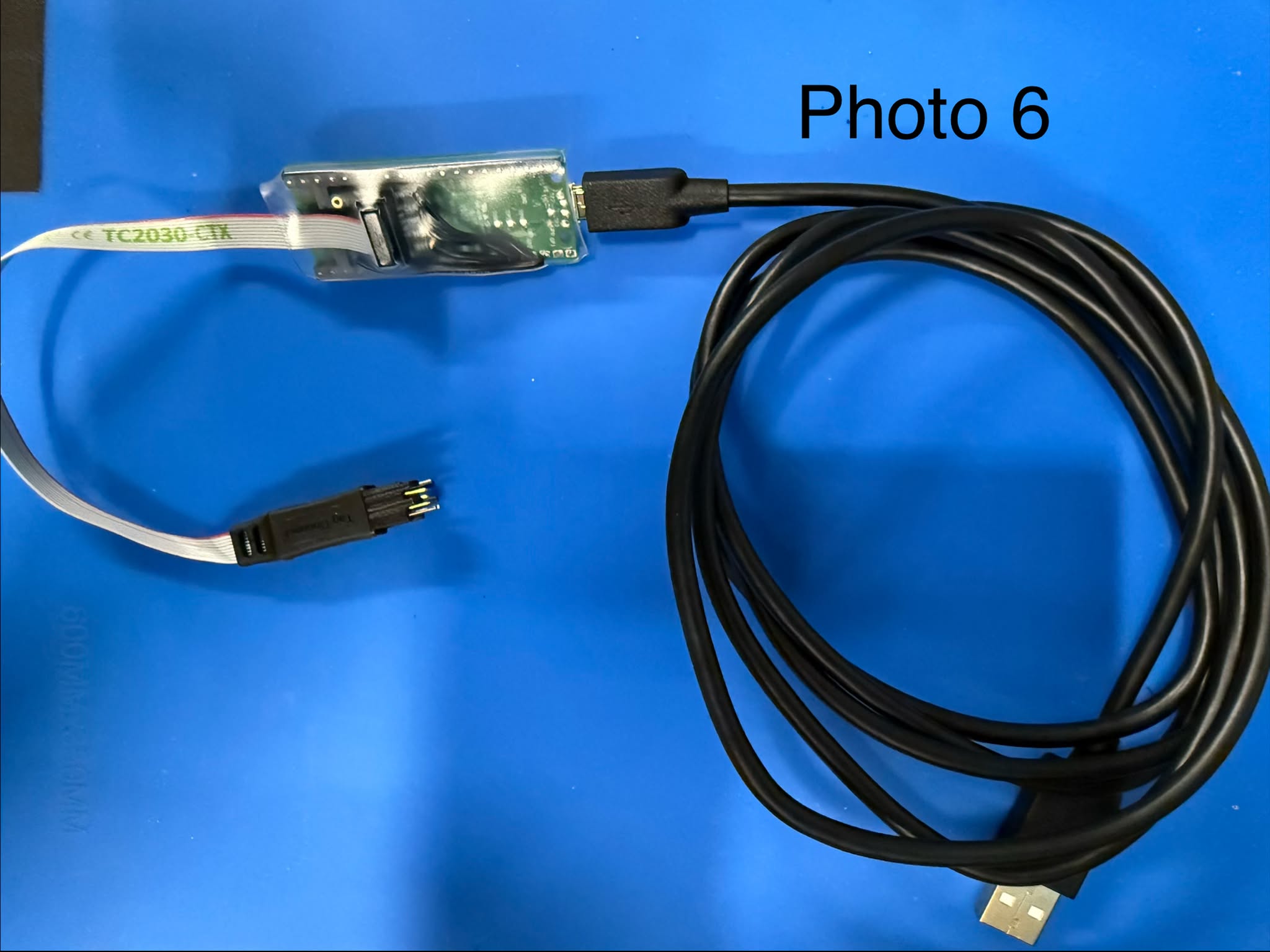
- Tag-Connect TC2030-CTX cable, legged, Normal Orientation
- Adafruit #2743 SWD breakout (its small box header is already soldered on; do not use the loose pin strip in the bag)
- 4 × 6 cm solid-core wire, 22 AWG, any colours (solid core goes into the through-holes easily; it is fine here because section 5 locks the bundle so it never flexes)
- Clear heat-shrink: 4 small (2 mm), 1 large (12 mm) — clear only, the Pico's LED must stay visible. Hot glue is fine on the breakout side.
- Micro-USB cable (goes in the kit)
Tools
Soldering iron + solder, wire strippers, flush cutters, multimeter with beep mode, heat gun, bench PC (has the repo), one test logger.
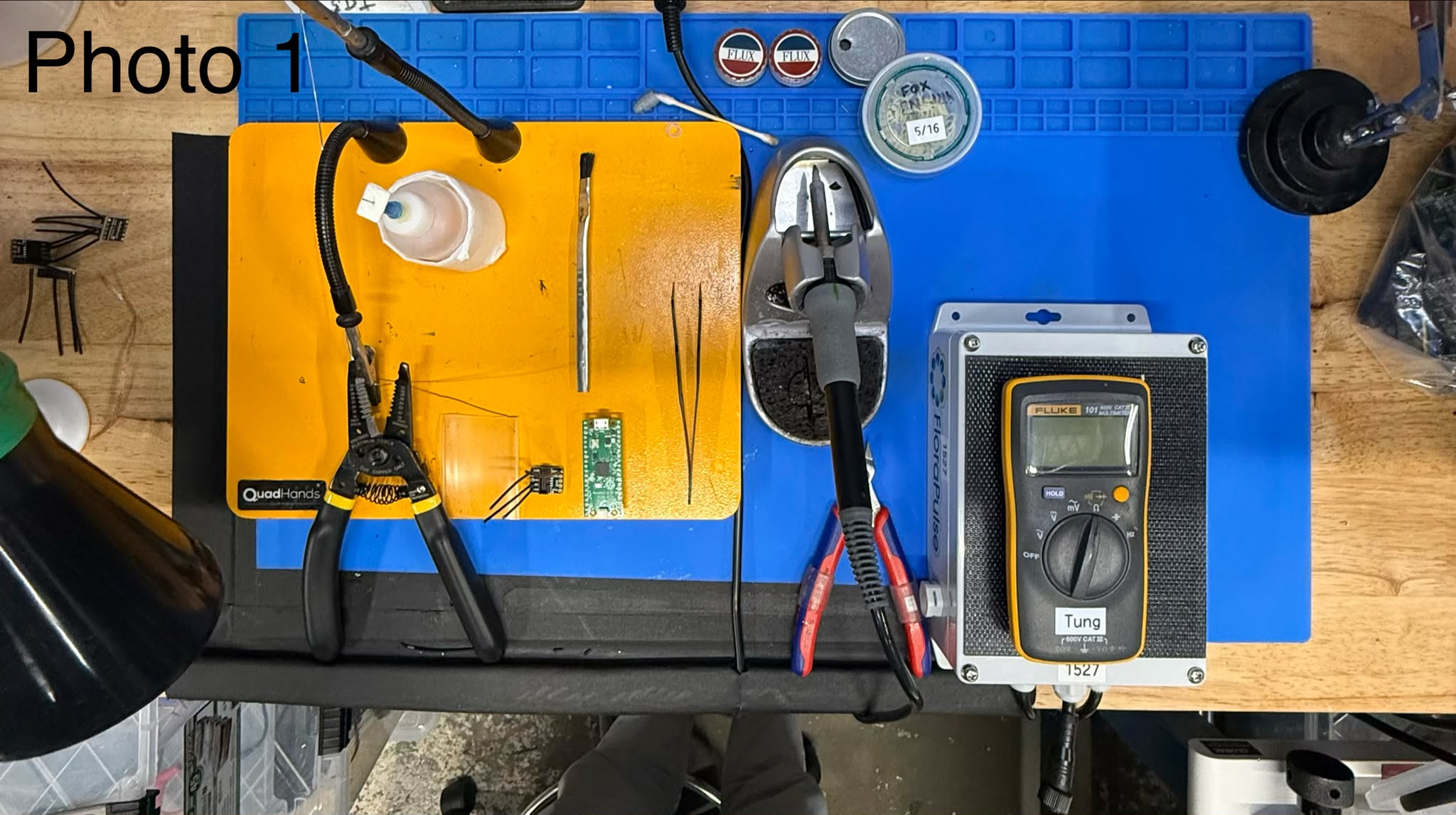
1. Program the Pico (before soldering)
- Unplug any other Pico from the PC.
- Hold the white BOOTSEL button on the Pico, plug it into the PC by USB, let go.
- In Chrome or Edge open app.florapulse.com/field-flasher and click Program Pico; pick the drive named
RPI-RP2. After the copy, click Verify the Pico and pick the port calledUSB Serial Device/Pico Serial— the page proves the copy took and records it. - The page shows Programmed ✓ and the Pico's green LED blips once every 2 s. Unplug it. (Bench fallback if the page is down — Git Bash:
cd /c/dev/florapulse-dashboard/firmware/field-flasher && make deploy LABEL="Kit B".)
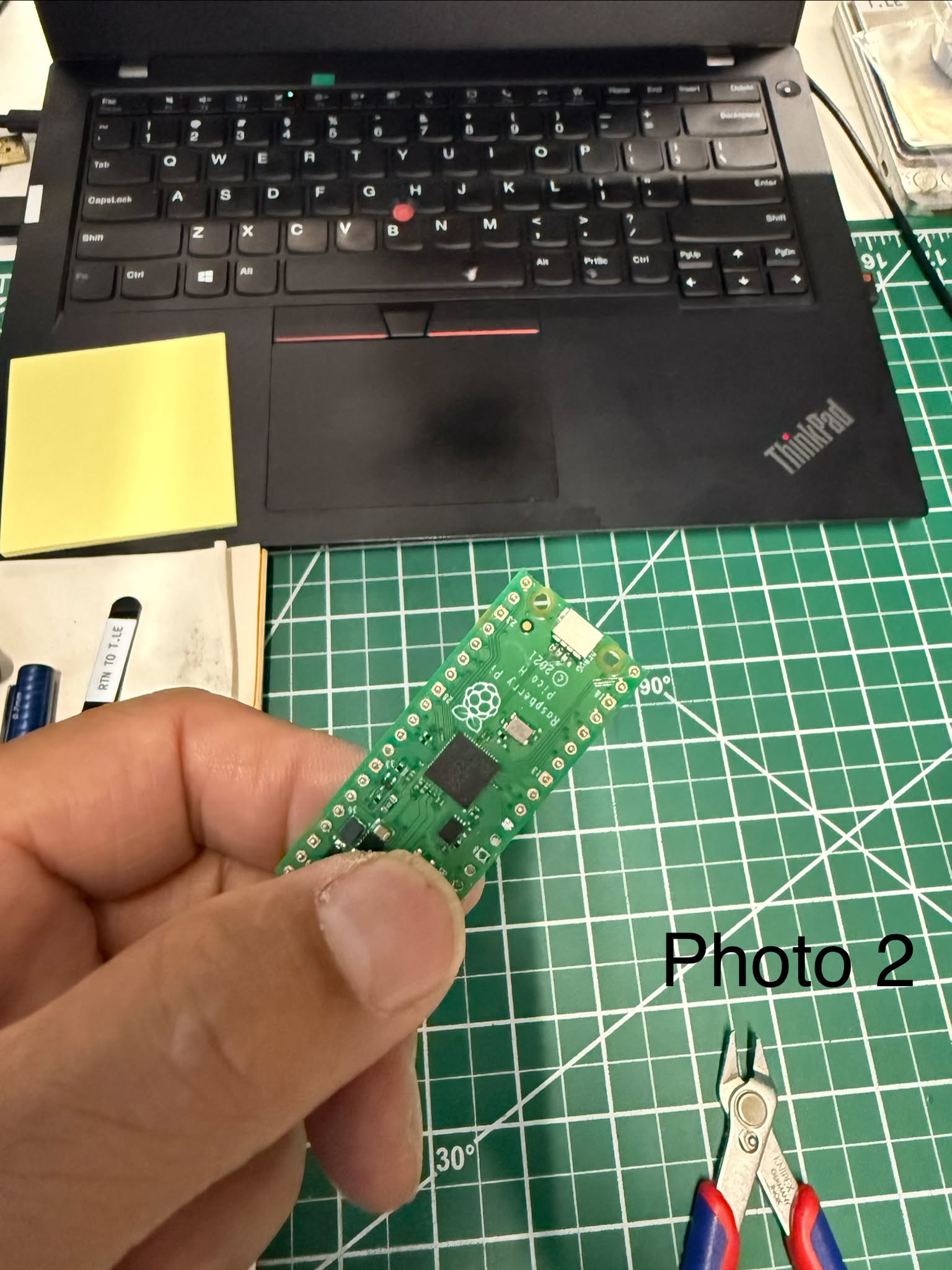
2. Check the cable (before soldering)
- Push the cable's 10-pin ribbon plug into the breakout's box header. It is keyed — one way only, don't force it.
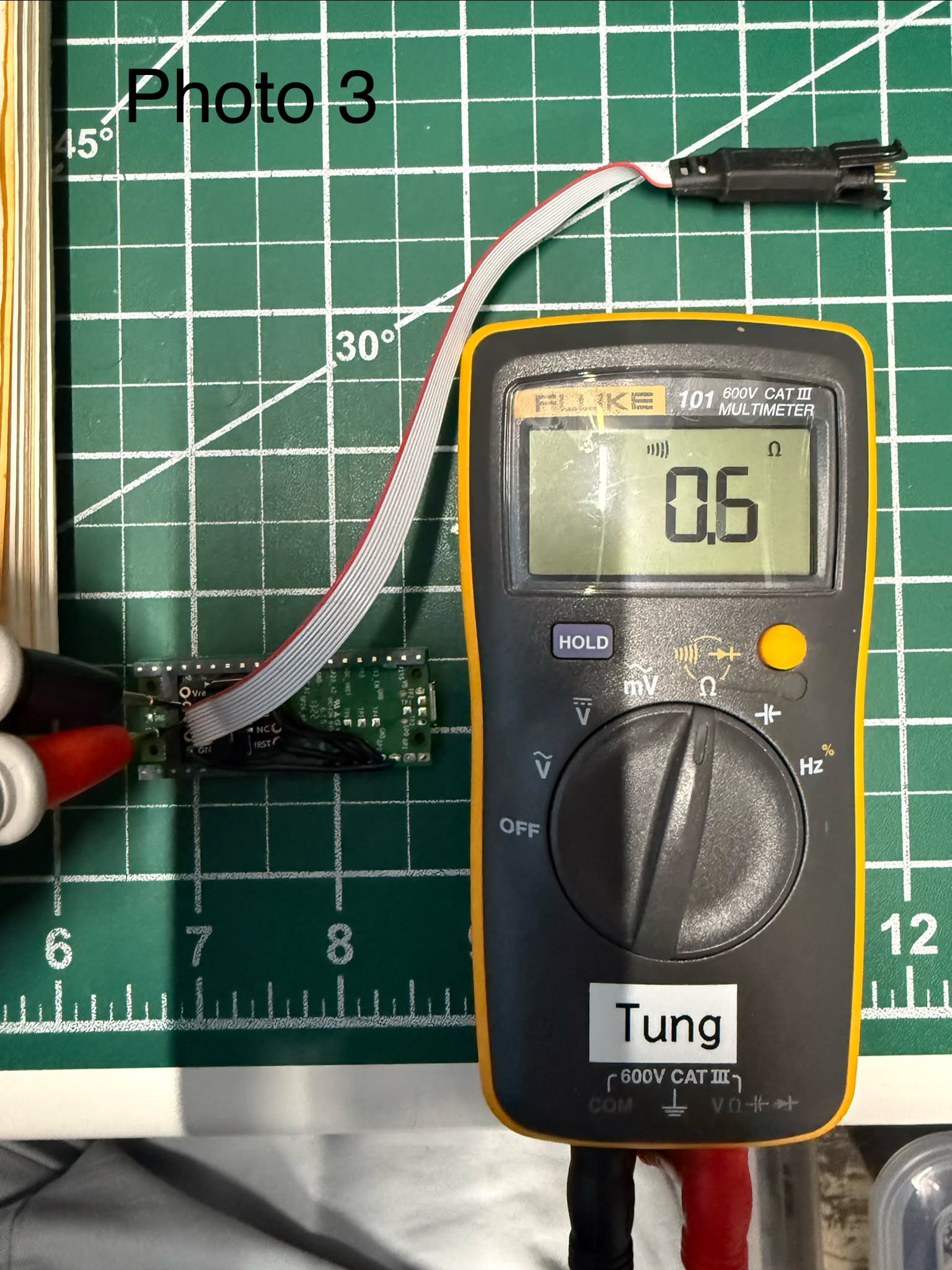
- Multimeter on beep. Touch the two holes marked GND on the breakout: must beep. Then GND to GNDd: must beep.
- No beep = wrong cable (reversed "LEMTA" version). Stop — give it to Michael.
3. Solder the four wires
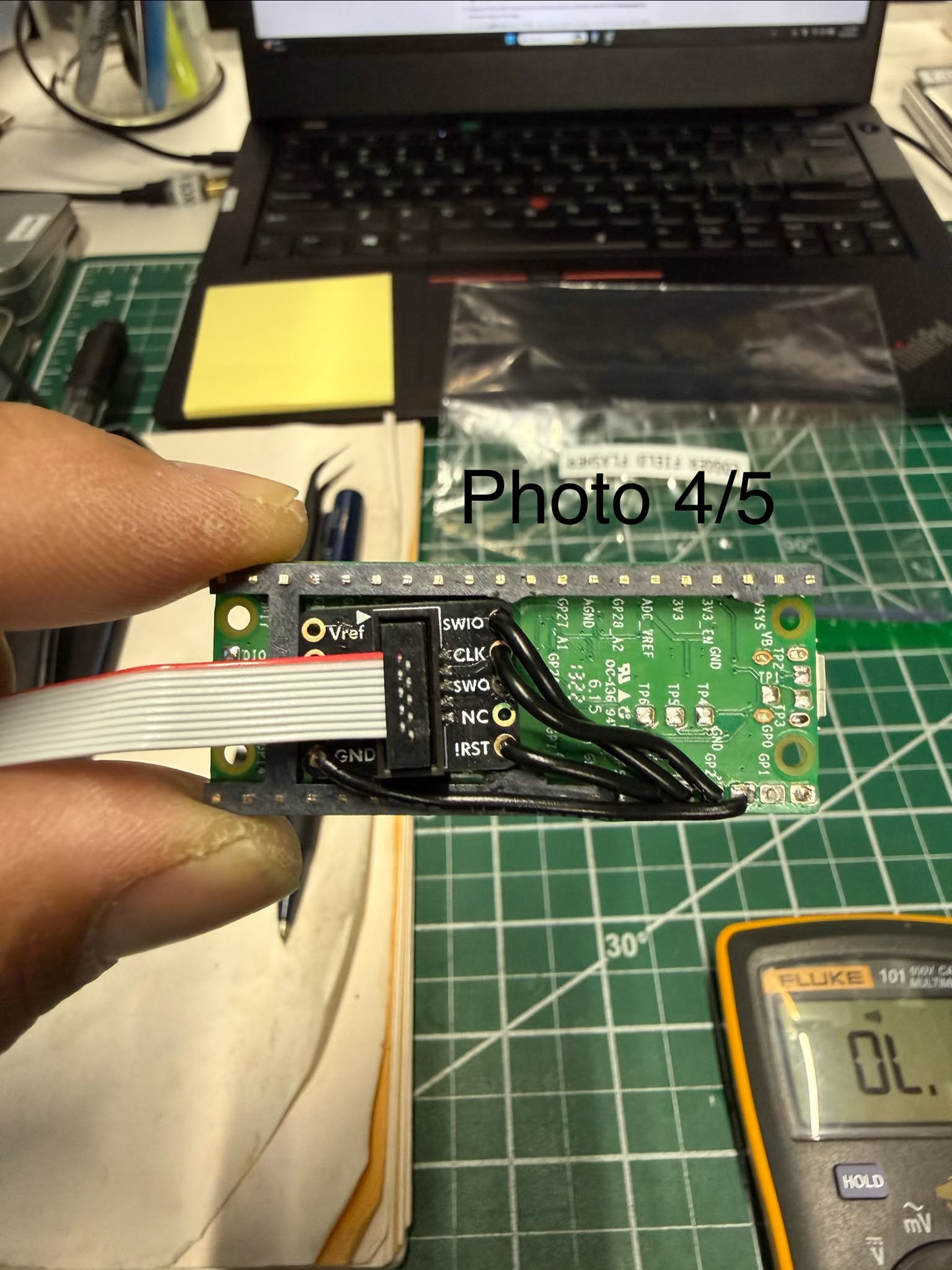
Breakout side: find every hole by the name printed on the board — the diagram below is only a map; the printed words next to the holes are the truth.
 Vref ┌─────┐ SWIO
 GND  │ 2×5 │ CLK
 GND  │1.27 │ SWO
 KEY  │ mm  │ NC
 GNDd └─────┘ !RST
Pico side — count physical pads, never the GP numbers on a pinout card. GP3 is NOT pad 3 (one kit was built exactly this way, every wire two pads down — and every §4 beep still "passed" because the pads were miscounted the same way during the test). USB connector at the top, count down the left edge from the top-left pad = pad 1. Pad 3 is the first SQUARE pad; pads 4, 5, 6 below it are rounded. Finished check: the GND wire sits on that square pad and the other three wires sit on the three rounded pads directly below it with no gap and no other square pad among them — a gap or a second square pad in the group means the count was wrong.
| Breakout hole | → | Pico pad |
|---|---|---|
GND (either one) | → | pin 3 (square) |
CLK | → | pin 4 |
SWIO | → | pin 5 |
!RST | → | pin 6 |
Leave Vref, SWO, NC, KEY, GNDd empty. Nothing else gets a wire.
- Strip 3 mm off each wire end and tin it.
- Slide the 4 small heat-shrinks onto the wires now (before soldering the second end).
- Wire in from the top of the board, solder on the underside, cut flush. Breakout end first, then the Pico end.
4. Check with the meter
Beep mode. Find each breakout hole by its printed label, and each Pico pad by the §3 rule (pad 3 = the first square pad — never GP numbers). Touch hole and pad:
GND↔ pin 3 — beepCLK↔ pin 4 — beepSWIO↔ pin 5 — beep!RST↔ pin 6 — beep- pin 3 ↔ pin 4, pin 4 ↔ pin 5, pin 5 ↔ pin 6 — no beep (a beep = solder bridge: reflow, wick, retest)
GNDd↔ pin 5 andVref↔ pin 6 — no beep (a beep = a wire is in a wrong hole or on a wrong pad: recount both sides and resolder)
Any fail: fix it and redo this whole section.
5. Heat-shrink
- Slide a small clear heat-shrink over each joint at the Pico and shrink it. Never cover the Pico's LED (next to the USB connector) or the BOOTSEL button.
- Large clear heat-shrink (or hot glue) over the whole wire side of the breakout so no wire can flex at a solder joint. Solid-core wire breaks if it flexes at the joint — this step is what makes it safe.
- The ribbon plug stays free to plug and unplug — do not glue it.
6. Test flash on a logger
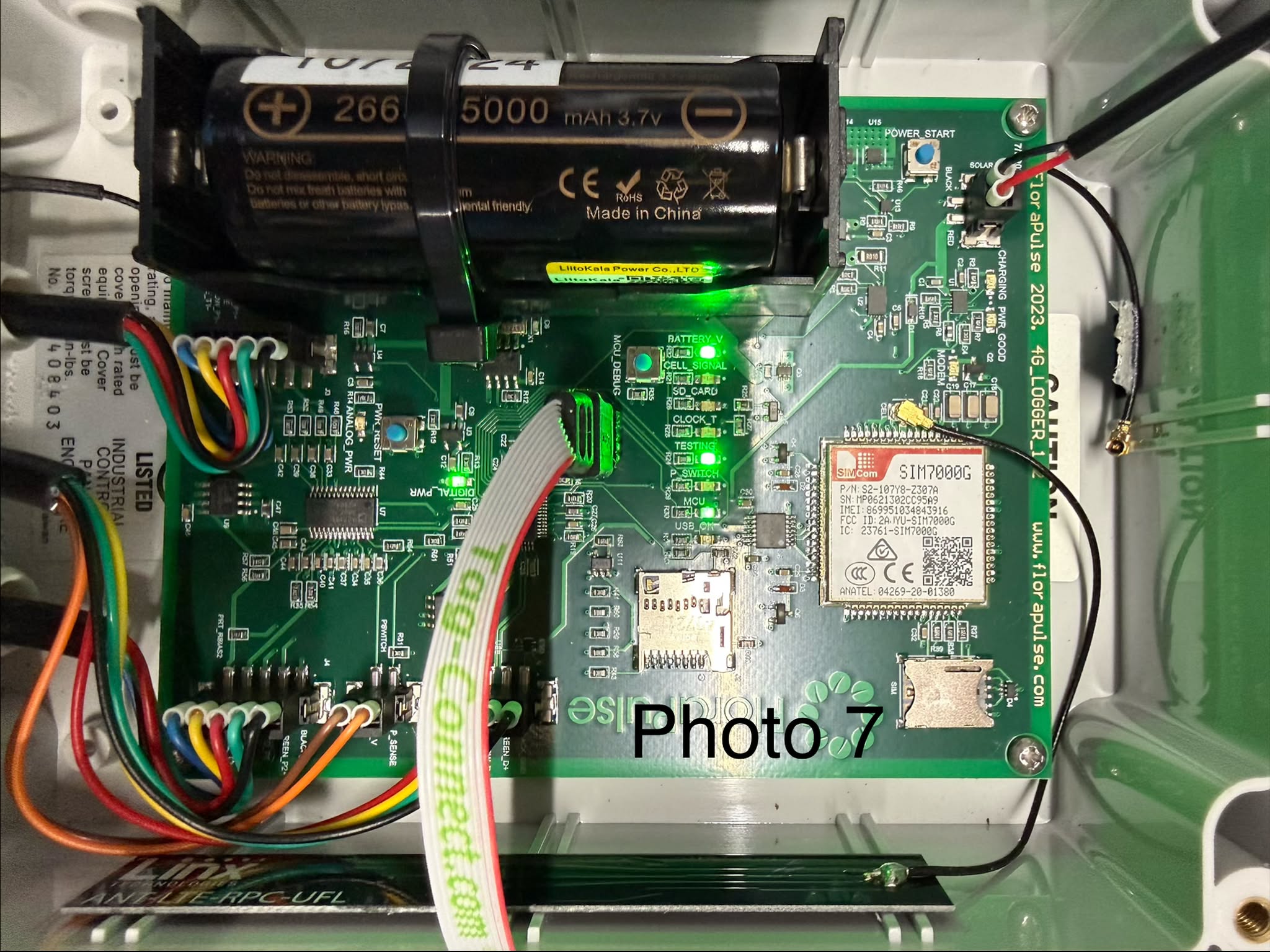
- Test logger: battery switch ON.
- Push the cable's spring-pin end onto the logger's J1 pads — the 3 legs go into the 3 holes, only fits one way.
- Plug the Pico into the PC by USB — the page needs its serial port, so a phone charger won't work here. LED must blip every 2 s; if you instead see an
RPI-RP2drive pop up, you're in programming mode — unplug and replug without touching the button. - On app.florapulse.com/field-flasher click Test Flash and pick the Pico's port. PASS on screen = good.
- FAIL on screen: follow the fix line it gives (usually redo section 4). Still failing → Michael. (No PC handy? Power from any USB source — PC or charger — and press BOOTSEL once instead: LED blinks ~1/s for 10 s then solid ON = PASS; blinking in groups = FAIL.)
- Unplug the Pico. Pull the cable off the logger.
7. Finish
- Bag: flasher, micro-USB cable, one printed updater card (print from app.florapulse.com/updater-card).
- Put the bag in the 'ready for shipping' bin.